

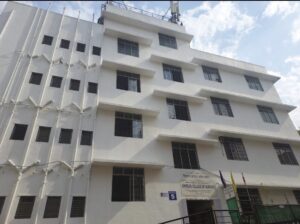
 🎯ABC College of Nursing Pune
🏥 Hospital Attached
🏠 Hostel Available
📚 Library
Claim offer
College dekho ,ka college listing, and uske bad college all information dalne ke liye
Free vala plugin suggest kro
Agar aap College Listing + College Detail Page WordPress me banana chahte ho (jaise aapke MahaNursing website ke liye), to ye FREE plugins best rahenge 👇
1️⃣ Best Option (Recommended)
🧩 HivePress
✅ Completely free core plugin
Isme aap kya kar sakte ho:
College listing page
Search + filter (State / District / Course)
College detail page
Image, description, contact info add
User login / submit listing
Ye plugin directory websites ke liye bana hai aur listing, images, description add karne ki facility deta hai.
👉 Example fields jo aap add kar sakte ho
College Name
College Code
Address
Seats
Fees
Courses
Contact number
Website
Photos
📌 Aapke MahaNursing site ke liye perfect.
2️⃣ Very Simple Plugin
🧩 Business Directory Plugin
Features:
Unlimited listing
Image upload
Categories
Search option
Custom fields
Ye plugin directory site banane ke liye flexible form fields aur listing options deta hai.
3️⃣ Another Good Plugin
🧩 uListing
Features:
Drag & drop listing builder
Custom field form
Category based listing
Modern design
Isse bhi directory listing website easily create ki ja sakti hai.
⭐ Mere hisab se aapke project ke liye BEST combo
Plugin
👉 HivePress
Theme
👉 ListingHive (free theme)
Is combination se aap Justdial type college directory bana sakte ho.
Example structure:
College Page
College name
Photo
Address
Courses
Fees
Seat intake
Contact
Cutoff
✅ Agar chaho to mai MahaNursing website ke liye perfect structure bhi bana deta hoon:
College Listing Page
Filter (State / District / Taluka / Course)
College Detail Page Design
Aur exact plugin + settings bhi bata dunga.
Ok make
आपकी MahaNursing website के लिए मैं एक simple और professional College Listing Structure बना रहा हूँ ताकि आप आसानी से WordPress + Free Plugin (HivePress) से सभी nursing colleges add कर सको.
🏥 MahaNursing – College Listing Structure
1️⃣ College Listing Page
Page Name: Find Nursing Colleges
यहाँ सभी colleges list होंगे.
Filter Options:
State
District
Taluka
Course
College Type (Govt / Private)
Example Listing Card:
College Photo
College Name
District
Course Available
Seats
View Details Button
2️⃣ College Detail Page Structure
जब user View Details क्लिक करेगा तो पूरा college information दिखेगा.
🏫 Basic Information
College Name
College Code
Address
District
Taluka
Establishment Year
College Type (Govt / Private)
🎓 Courses Available
Course Seats
BSc Nursing 100
GNM 60
ANM 40
💰 Fees Structure
BSc Nursing Fees
GNM Fees
Hostel Fees
📊 Admission Details
Entrance Exam: MH Nursing CET
Admission Mode: CAP Round
Required Documents
📞 Contact Information
Phone Number
Official Website
📍 Location
Google Map Embed
🖼 College Gallery
Building photos
Classroom
Hostel
Hospital
3️⃣ WordPress Custom Fields (Add in Plugin)
Plugin: HivePress
Add these fields:
College Code
District
Taluka
Courses
Seats
Fees
Hostel
Contact Number
Website
Map Location
4️⃣ Categories (Very Important)
Create categories like:
BSc Nursing College
GNM College
ANM College
Government Nursing College
Private Nursing College
5️⃣ Website Navigation Menu
Menu structure:
Home
Find Colleges
Nursing CET
Study Material
Jobs
Contact
⭐ Example College Listing
College of Nursing AIIMS Delhi
District: New Delhi
Course: BSc Nursing
Seats: 100
Button → View Details
✅ अगर चाहो तो मैं आपको अगला step भी बता सकता हूँ:
HivePress में filter कैसे बनाते हैं (State / District / Course)
500+ nursing colleges data structure
Auto college search system (Justdial type)
और अगर चाहो तो मैं MahaNursing के लिए full college database structure भी बना सकता हूँ, जिससे आपकी website India की No.1 Nursing Admission Website बन सकती है.
Give me link of hive press
यह रहा HivePress plugin का official link 👇
🔗 Download HivePress Plugin (WordPress.org)
यह एक free WordPress directory plugin है जिससे आप:
College listing बना सकते हो
College detail page बना सकते हो
Search + filters add कर सकते हो
Custom fields (fees, seats, courses) add कर सकते हो
📊 Important info:
⭐ Rating: 4.9 / 5
🔧 Active installs: 10,000+ websites
📂 Use case: Directory, listing, job board, college listing website
✅ MahaNursing website के लिए next step (important):
1️⃣ Install plugin
WordPress Dashboard → Plugins → Add New → Search HivePress
2️⃣ Install free theme
👉 ListingHive
3️⃣ Create page
Find Colleges
College Detail
अगर चाहो तो मैं आपको यह भी बता सकता हूँ:
HivePress में State / District / Course filter कैसे बनाते हैं
1000 nursing colleges database कैसे add करें
MahaNursing जैसा professional college directory design
बस बोलो — मैं step-by-step पूरा setup guide दे दूँगा 🚀
Kaise add kru college data
आप HivePress में college data बहुत आसानी से add कर सकते हो। नीचे step-by-step simple process है 👇
1️⃣ HivePress Install करने के बाद
WordPress Dashboard में जाओ
Dashboard → Listings → Add New
यहाँ से आप नया college add कर सकते हो.
2️⃣ College Basic Information भरना
Example:
Title
👉 ABC Nursing College Pune
Description
👉 College की पूरी information लिखो
Establishment year
Facilities
Hospital attachment
Admission process
3️⃣ Custom Fields Add करना (Important)
Dashboard → HivePress → Attributes → Add New
यहाँ ये fields बनाओ:
College Code
District
Taluka
Course
Seats
Fees
Hostel
Contact Number
Website
फिर ये fields Listing Form में show होंगे।
4️⃣ Categories बनाओ
Dashboard → Listings → Categories
Example:
BSc Nursing College
GNM College
ANM College
Government College
Private College
जब college add करोगे तब category select करना।
5️⃣ College Photo Add करना
Right side में option होगा
👉 Set Featured Image
यह college की main photo होगी.
आप gallery images भी add कर सकते हो।
6️⃣ Location Add करना
HivePress में location field enable करो
Example:
State → Maharashtra
District → Pune
इससे website में search filter काम करेगा।
7️⃣ Publish
सब information भरने के बाद
👉 Publish button दबाओ
अब college आपकी college listing page में show होगा।
⭐ Example College Entry
Title
👉 XYZ College of Nursing Pune
Fields:
District → Pune
Course → BSc Nursing
Seats → 100
Fees → ₹80,000 / year
Contact → 9876543210
Publish ✅
💡 Pro Tip (MahaNursing website के लिए):
अगर आपको 200–500 colleges add करने हैं, तो manual add करना बहुत time लेगा।
Better method:
👉 CSV upload करके bulk college data add करना
✅ अगर चाहो तो मैं आपको यह भी बता सकता हूँ:
500 Maharashtra nursing colleges data sheet
Bulk upload system (1 click में 500 colleges)
MahaNursing के लिए professional college page design
बताओ तो मैं ready college data format भी बना दूँ 📊.
Usme muze icon dalne hai image type
अगर आपको HivePress में icon या image type field add करनी है (जैसे Course icon, Hostel icon, Facilities icon), तो यह ऐसे कर सकते हो 👇
1️⃣ Icon/Image Field Add करना
WordPress Dashboard में जाओ
HivePress → Attributes → Add New
अब नया field बनाओ.
Example:
Name: College Icon
Slug: college_icon
Field Type: Attachment (Image Upload)
यह option select करने से आप image upload कर सकते हो.
2️⃣ Form में Show करना
नीचे option होगा
Display Areas
✔ Listing Submission Form
✔ Listing Page
इससे icon college detail page में दिखेगा।
3️⃣ College Add करते समय Image Upload
अब जब आप college add करोगे:
Dashboard → Listings → Add New
तो आपको नया field दिखाई देगा:
📷 Upload Icon
यहाँ आप icon डाल सकते हो जैसे:
Hostel icon 🏠
Hospital icon 🏥
Library icon 📚
Lab icon 🔬
4️⃣ Better तरीका (Facilities Icons)
अगर आपको multiple icons दिखाने हैं तो field type रखें:
👉 Checkbox
Example:
Facilities:
☑ Hostel
☑ Library
☑ Hospital
☑ Transport
☑ Lab
फिर हर option के साथ icon show कर सकते हो.
⭐ MahaNursing के लिए Best Icons
आप ये icons use कर सकते हो:
🏥 Hospital Attached
🏠 Hostel Available
📚 Library
🔬 Lab
🚑 Ambulance
🧑⚕️ Clinical Training
✅ अगर चाहो तो मैं आपको MahaNursing website के लिए 20 nursing facility icons (PNG pack) भी दे सकता हूँ, जो college listing में perfect दिखेंगे.
Muze step to step batao puri process
मैं आपको step-by-step पूरी process बता रहा हूँ जिससे आप अपनी MahaNursing website में colleges add कर सकें और icon/image भी लगा सकें using HivePress.
STEP 1️⃣ Plugin Install करो
WordPress Dashboard खोलो
Plugins → Add New
Search करो HivePress
Install → Activate
STEP 2️⃣ Theme Install करो (Recommended)
Appearance → Themes → Add New
Search करो ListingHive
Install → Activate
यह theme automatically listing pages create कर देता है।
STEP 3️⃣ College Categories बनाओ
Dashboawrd → Listings → Categories → Add New
Example categories:
BSc Nursing College
GNM College
ANM College
Government Nursing College
Private Nursing College
Save कर दो।
STEP 4️⃣ Custom Fields (Attributes) बनाओ
Dashboard → HivePress → Attributes → Add New
अब ये fields बनाओ:
1. District
Field Type → Select
2. Taluka
Field Type → Text
3. Course
Field Type → Checkbox
Options:
BSc Nursing
GNM
ANM
4. Seats
Field Type → Number
5. Fees
Field Type → Number
6. Contact Number
Field Type → Text
7. College Icon
Field Type → Attachment (Image Upload)
Seats: 100
Fees: ₹85000
Facilities
Admission process
Hospital attachment
Button → View Details🎓🗞️🖇️⏩⏩🎯🔥